When a policy is set on an organization/ top node all descendants of that node inherit this policy by default. If you set a policy at the root organization node/ root account, then the configuration of restrictions defined by that policy will be passed down through all descendant folders, projects, services, and resources.
My opinion
AWS Advantage: In some scenarios is necessary to have only one VPC for the whole organization and the projects must use this VPC but from different Accounts. It’s possible in AWS because we have cross-account shared services.
In Azure and GCP we cannot share a VPC or a VNet between two Subscriptions or Projects.
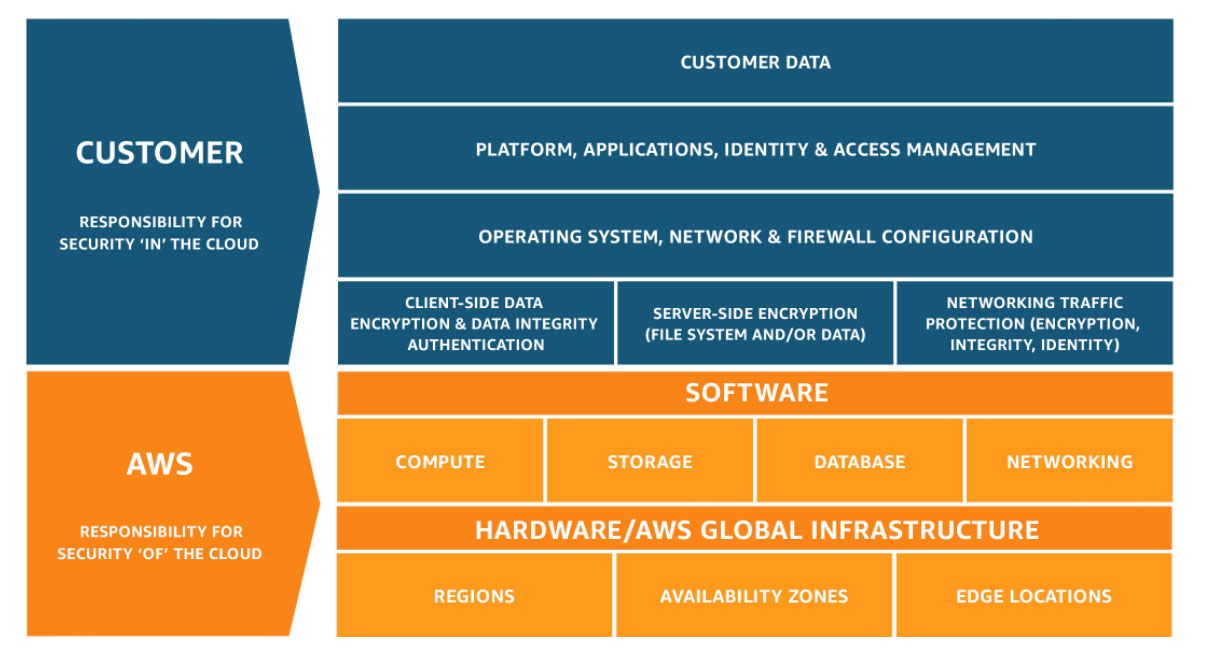
Configure the access to the resources e.g. servers
Responsible for operating system hardening of the servers
Ensure the disk volume has been encrypted
Determine the identity and access permissions of specific resources
ooo
Who should take care of security?
In companies where they up and run services/application on the cloud, the responsible teams have to have enough knowledge about the security on the cloud.
Developers and Enterprise architect
Ensure cloud services they use are designed and deployed with security.
DevOps and SRE Teams
Ensure security introduced into the infrastructure build pipeline and the environments remain secure post-production.
InfoSec Team
Secure systems
In which step of the project the security have to be applied?
Monitoring : is for understanding what is happening in your system.
Alerting : is CloudWatch component, is counterpart to monitoring, and it allows the platform to let us know when something is wrong.
Recovering : is for identifying the cause of the issue and rectifying it.
Automating
Alert:
Simple Notification System:
CloudTrail: with enabling CloudTrail on your AWS account, you ensure that you have the data necessary to look at the history of your AWS account and determine what happened and when.
Amazon Athena: which lets you filter through large amounts of data with ease.
SSL certificate: Cryptographic certificate for encrypting traffic between two computers.
Source of truth: When data is stored in multiple places or ways, the “source of truth” is the one that is used when there is a discrepancy between the multiple sources.
Chaos Engineering: Intentionally causing issues in order to validate that a system can respond appropriately to problems.
Monitoring concept
Without monitoring, you are blind to what is happening in your systems. Without having knowledgable folks alerted when things go wrong, you’re deaf to system failures. Creating systems that reach out to you and ask you for help when they need it, or better yet, let you know that they might need help soon, is critical to meeting your business goals and sleeping easier at night.
Once you have master monitoring and alerting, you can begin to think about how your systems can fix themselves. At least for routine problems, automation can be a fantastic tool for keeping your platform running seamlessly [Source].
Monitoring and responding are core to every vital system. When you architect a platform, you should always think about how you will know if something is wrong with that platform early on in the design process. There are many different kinds of monitoring that can be applied to many different facets of the system, and knowing which types to apply where it can be the difference between success and failure.
CloudWatch
CloudWatch is the primary AWS service for monitoring
it has different pieces that work together
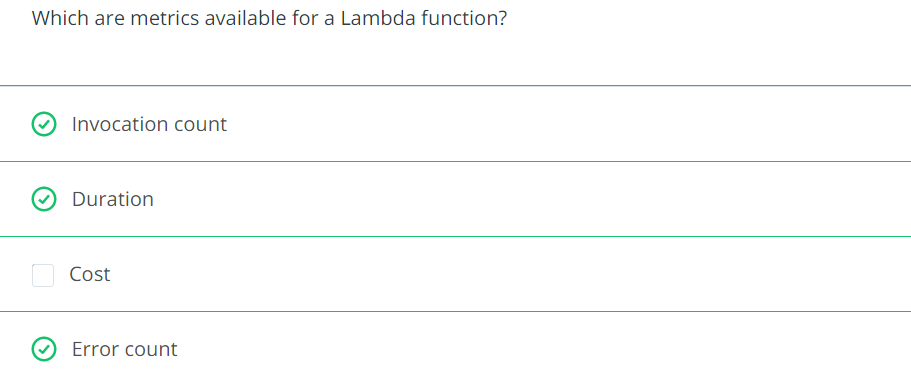
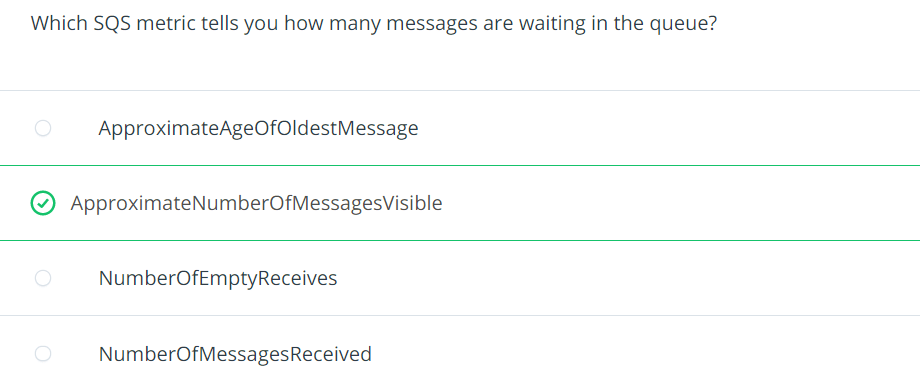
CloudWatch metrices are the main repository of monitoring metrics e.g. what does the CPU utilization look like on your RDS database, or how man messages are currently in SQS (Simple Queue Service)
we can create custom metrics
CloudWatch Logs is a service for storing and viewing text-based logs e.g. Lambda, API Gateway,…
CloudWatch Synthetics are health checks for creating HTTP endpoints
Proper alerting will help you keep tabs on your systems and will help you meet your SLAs
Alerting in ways that bring attention to important issues will keep everyone informed and prevent your customers from being the ones to inform you of problems
CloudWatch Alarms integrates with CloudWatch Metrics
Any metric in CloudWatch can be used as the basis for an alarm
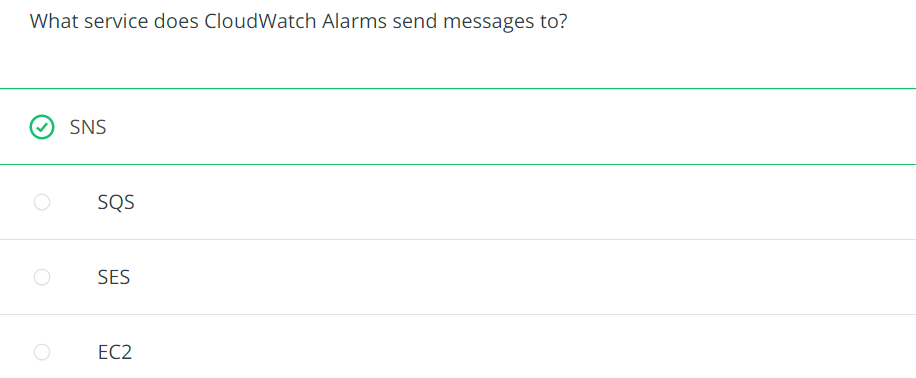
These alarms are sent to SNS topics, and from there, you have a whole variety of options for distributing information such as email, text message, Lambda invocation or third party integration.
Alerting when problems occur is critical, but alerting when problems are about to occur is far better.
Understanding the design and architecture of your platform is key to being able to set thresholds correctly
You want to set your thresholds so that your systems are quiet when the load is within their capacity, but to start speaking up when they head toward exceeding their capacity. You will need to determine how much advanced warning you will need to fix issues.
Always try to configure the alert in a way that you have a weekend to solve the problem if it’s utilization
Example: create a Lambda function and set up an alert on a Lambda functions invocation in CloudWatch Alarms to email you anytime that the Lamdba is run.
Solution has been recorded in video
Recovering From Failure by using CloudTrail
The key to recovering from failure is identifying the root cause as well as how and who/what triggered the incident.
We can log
management events (first copy of management events is free of charge but extra copies arre each 2$ for 100,000 write management events [Source])
data events (pay $0.10 per 100,000 data events)
You will be able to refer to this CloudTrail log for a complete history of the actions taken in your AWS account. You can also query these logs with Amazon Athena, which lets you filter through large amounts of data with ease.
Automating recovery
Automating service recovery and creating “self-healing” systems can take you to the next level of system architecture. Some solutions are quite simple. Using autoscaling within AWS, you can handle single instance/server failures without missing a beat. These solutions will automatically replace a failed server or will create or delete servers based on the demand at any given point in time.
Beyond the simple tasks, many types of failure can be automatically recovered from, but this can involve significant work. Many failure events can generate notifications, either directly from the service, or via an alarm generated out of CloudWatch. These events can have a Lambda function attached to them, and from there, you can do anything you need to in order to recover the system. Do be cautious with this type of automation where you are, in essence, turning over some control of the platform – to the platform. Just like with a business application, there can be defects. However, as with any software, proper and thorough testing can help ensure a high-quality product.
Some aws services can autoscale to help with some automated recovery.
Chaos engineering
Chaos Engineering is the practice of intentionally breaking things in production. If your systems can handle these failures, why not allow or encourage these failures?
Set rational alerting levels for your system so that for foreseeable issues, you get alerted so that you can take care of issues before they become critical.
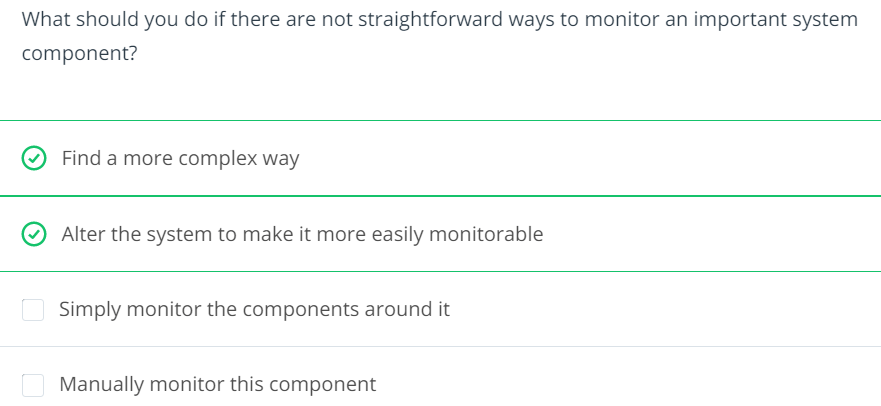
Many applications and services lend themselves to being monitored and maintained. When you run into an application that does not, it is no less important (it’s like more important) to monitor, alert and maintain these applications. You may find yourself needing to go to extremes in order to pull these systems into your monitoring framework, but if you do not, you are putting yourself at risk for letting faults go undetected. Ensuring coverage of all of the components of your platform, documenting and training staff to understand the platform and practicing what to do in the case of outages will help ensure the highest uptime for your company.
We should ask this questions ourselves by architecting a solution by designing its monitoring solution
how would you diagnose issues with an application
how would you understand it’s health
what are it’s choke points
how would you identify them and what would you do when something breaks
Like the firefighting maneuver that must be executed half-yearly or yearly in each company, we have to use “chaos engineering” technique to intentionally cause breakage in the environments in a controlled manner to test monitoring, alerts, react of the architecture and resiliency of our solution.
Decide for the right resource and architecture for youe product
Choose the appropriate architecture based on your requirements
Know which compute options is right for your workload
Identify the right storage solution that meets your needs
Decide how you’re going to manage all your resources
Automation: The use of software to create repeatable instructions and processes to replace or reduce human interaction with IT systems
Cloud Governance: The people, process, and technology associated with your cloud infrastructure, security, and operations. It involves a framework with a set of policies and standard practices
Infrastructure as Code: The process of managing and provisioning computer resources through human and machine-readable definition files, rather than physical hardware configuration or interactive configuration tools like the AWS console
IT Audit: The examination and evaluation of an organization’s information technology infrastructure, policies and operations
CloudFormation
CloudFormation is a AWS service for create infrastructure as code.
it’s a yaml file
How to start with CloudFormation
Services -> CloudFormation
Create stack “With new resources (standard)”
Template is ready
Upload a template file
Click “Choose file” button
Select provided YAML file
Next
CloudFormation Template sections
Format version
Decsription
Parameters
Resources
Outputs
Each AWS Account has its own AWS Identity & Access Management (IAM) Service.
If you know Azure On Microsoft Azure, we have a Subscription. The AWS Account can be equivalent to the Azure Subscription. With a difference. Each AWS Account can have its own IAM Users but in Azure, we have a central IAM Service, called Azure Active Directory (AAD). Each above-called service is a huge topic but we don’t do a deep dive right now.
The AWS IAM User can be used
Only for CLI purposes. This user can’t log in to the AWS Portal.
Only for working with the AWS Portal. This user can’t be used for CLI.
Both purposes. This user can be used to log in to the AWS Portal and CLI.
Pipeline User
The first question is why do we need a Pipeline User?
Automated deployment (CI/CD) pipeline and prevent manual or per-click deployment.
We can only grant the pipeline user for some specific permissions and audit the logs of this user.
This user can work with AWS Services only via CLI. Therefore it has an Access Key ID and a Key Secret.
If you know Azure It’s used like a Service Principal, that you have a client-id and client-secret.
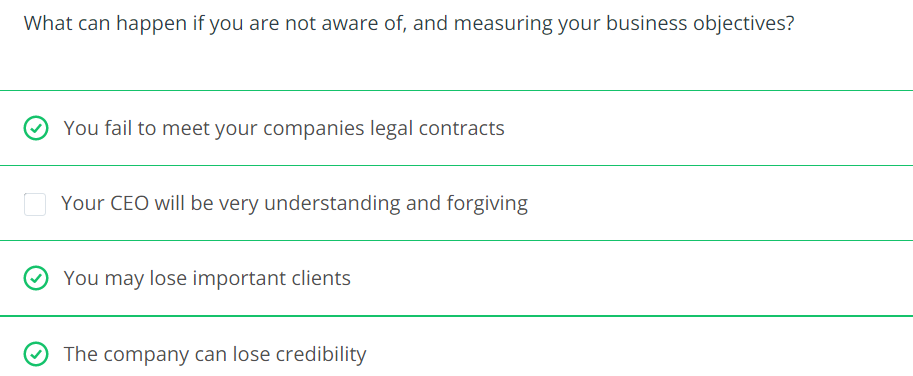
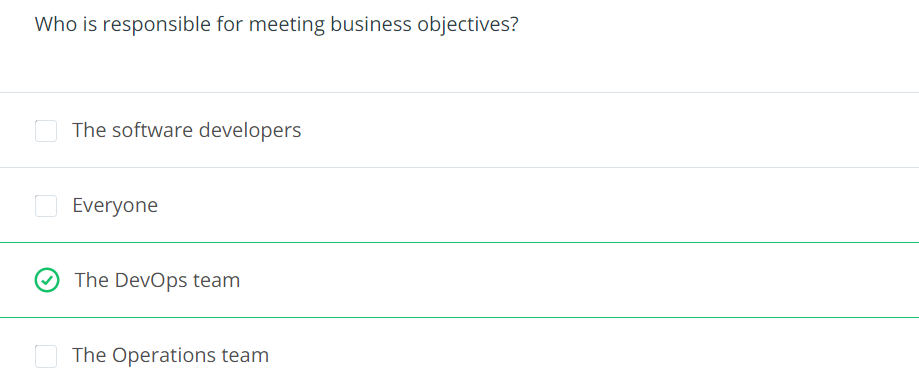
Business Objectives define how the business can market and sell its products and services. It is crucial for all parts of the business to agree and strive for the same business objectives in order to smoothly operate the business and work with customers.
Key concepts
Uptime:
Downtime
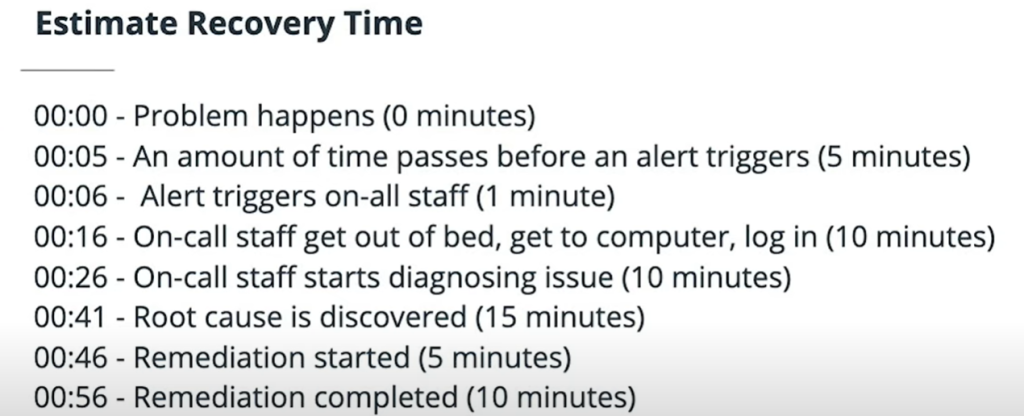
Recovery Time Objective (RTO): maximum amount of time that your service would be down.
Recovery Point Objective (RPO): maximum amount of time over which you would lose data.
Disaster Recovery: Bringing our system (major service) in another place in case of complete region outage.
They are the commitment that we do with customers
Big picture
Business objectives are where the other business functions of your company meet with the Engineering function. These other areas of the company focus on signing customers, managing finances, supporting customers, advertising your products, etc. Where all of these teams meet is in the realm of contracts, commitments and uptime. This is where other parts of a business have to collaborate with Engineering in order to come up with common goals and common language.
Developing your intuition
Develop regular communication: when working across departments within your business, it’s important to communicate regularly and clearly.
Be on the same page: using the same language is a good way to make sure that all teams are on the same page.
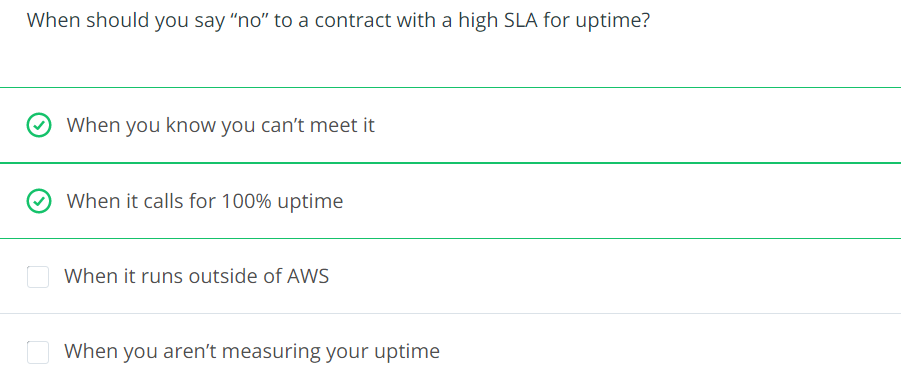
Push back where necessary: It’s imprerative to be well-prepared when dealing with business objectives. Other business units might wish to make more aggressive commitments to close more sales. Be cautious and transparent. Make sure that business understands what meeting higher commitments will cost in term of both time and dollers.
Be Prepared: Service disruptions can be rare enough that how to recover can be forgotten and can be tricky. Practicing recovery operations in key to doing them well. Which in turn is key to keep relationship and solid footing with your peers in other parts of the business.
It is important to gauge how much effort and cost will be involved in meeting different business objectives. Communicating these numbers will help keep the whole company centered around common and achievable goals. Setting unrealistic or unachievable goals can quickly lead to poor morale and missed deadlines. Before committing to a business objective, ensure that you have an idea of how to build, run, monitor and maintain a system that can achieve the desired metrics, and make sure that the rest of the business understands the resource that will be required to do so. In this fashion, it is key to get all parts of the company to work together to set these goals. These goals are so critical to success and potentially costly to achieve that they often must be set at the highest levels of the company.
Uptime
Percentage of time: the percentage of time that a service is available. 99,9% is a standard uptime by many service level agreements. This percentage is measured over the course of a month.
Part of every Service Level Agreement: if you likely face penalties for the SLA, it comes usually in the form of monetary or service credit that you would owe your customers.
Requires diligence: you need to tack your platform uptimes to demonstrate to your customers that you are measuring it and meeting commitments.
In order to maintain a high level of uptime, we must have redundancy throughout the services. Everything must be redundant: – Databases – Networking – Servers – Staff
Uptime is a measure of how much time an application or service is available and running normally. Uptime is often measured as a percentage, usually in the “number of 9s” vernacular. For example, “4 9s” refers to a service being available for 99.99% of a time period.
Services that offer Service Level Agreements (SLAs) typically start at 99% and get more stringent from there. 99.9% is a common SLA. The more “9s” an SLA offers, the more difficult and costly it is to achieve. You must ask yourself how much effort you are willing to put in and how much your company is willing to pay before proceeding into the territory of 4 9s or beyond.
Allowed downtime is calculated on monthly bases because some months have different length.
Allowed downtime = (30 days 24 hours 60 minutes) – (30 days 24 hours 60 minutes * SLA percentage)
For example a 99% = 7.3 hours of allowed downrime per month
Drafting a Service Level Agreement (SLA)
When drafting a Service Level Agreement (SLA) for your platform, there are many things to consider. You will need to ponder what you will need to implement in order to meet the SLA, and also understand what types of guarantees that you are providing to your customers that you will meet the SLA. Monetary compensation is common for SLA violations either in the form of service credits or outright refunds.
Often when considering what type of SLA a platform can provide, there is a tendency to forget to consider some of the components of the system. If the SLA isn’t carefully considered, it can quickly become very difficult and expensive to meet [Source].
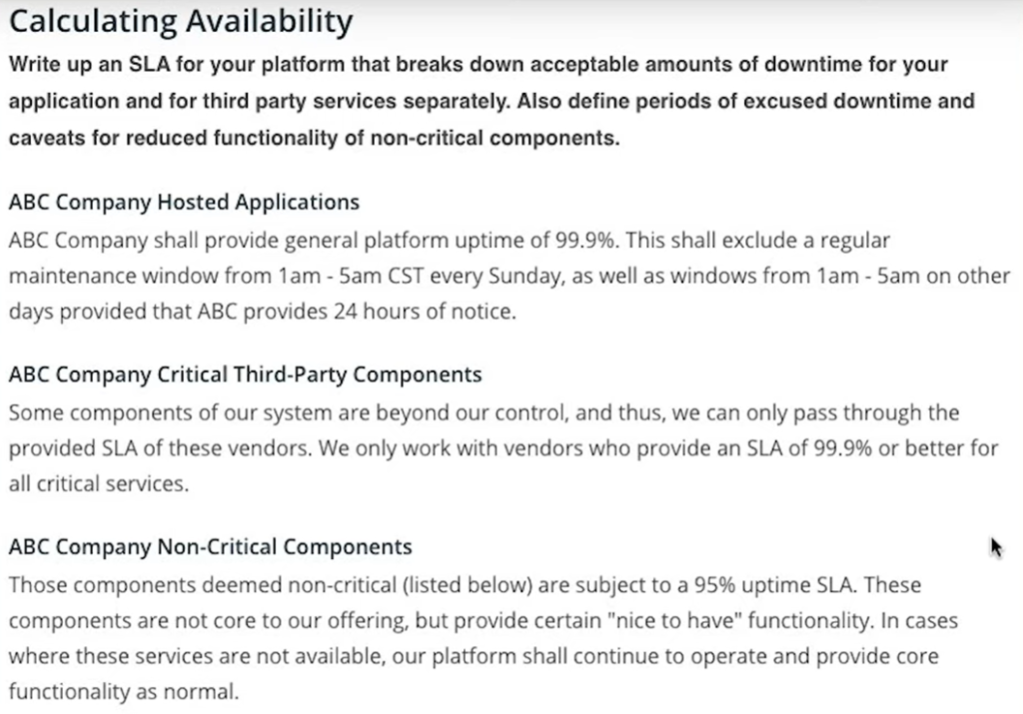
Example: Your company would like to offer a 99.9% SLA on your entire platform. Consider the following services that are required for your service to operate normally:
Email service provider: 99.9%
DNS provider: 99.99%
Authentication service provider: 99.9%
AWS services: 99.9%
Twitter feed: 99%
Write an SLA for your platform that breaks down acceptable amounts of downtime for your application and for third-party services separately. Also, define periods of excused downtime and caveats for reduced functionality of non-critical components.
In time of happening an incident, if the whole system is getting down together, the RPO is zero. Because we lost no data.
RDS database
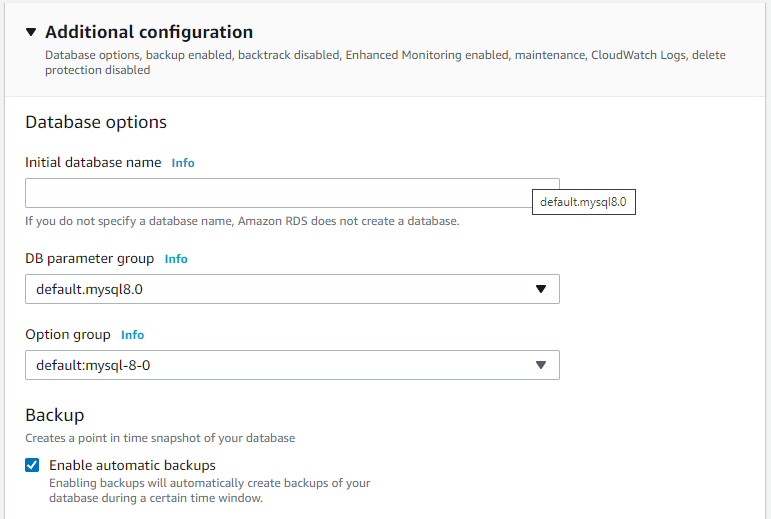
Creating a RDS database with backup enabled to prevent high RPO.
In creating steps this checkbox is important to point-in-time recovery.
After creating the RDS database, then we can execute a point in time recovery.
Restore point can be latest or custom
The the name of restored instance must be specified
Then we will have the original and the restored instance
Disaster Recovery
is about how fast we can restore services after major failure
RPO and RTO is applyed to any incident (consider the worst-case scenario)
RTO and RPO numbers apply to localized outages, but when setting your RTO and RPO, you must take into account worst case scenarios. The term Disaster Recover is used to describe a more widespread failure. In AWS, if you normally run your services in one region, a large enough failure to make you move your system to another region would be a Disaster Recovery (DR) event [Source].
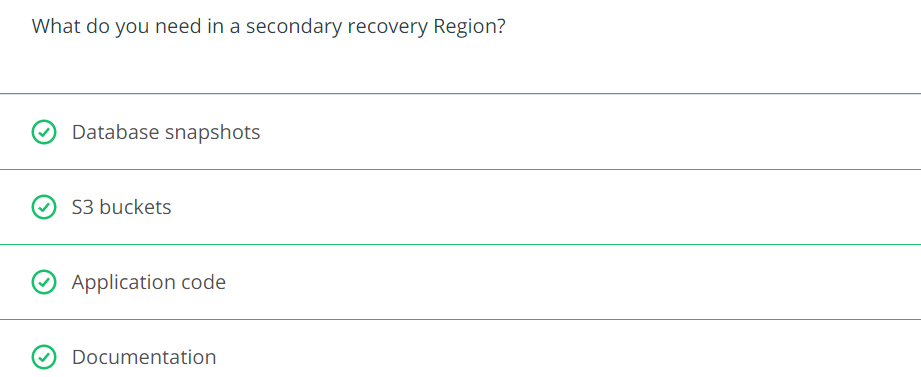
Disaster Recovery usually involves the wholesale moving of your platform from one place to another. Outside of AWS, you might have to move to a backup data center. Inside AWS, you can move to a different region. Disaster recovery is not something you can do after an incident occurs to take down your primary region. If you have not prepared in advance, you will have no choice but to wait for that region to recover. To be prepared ahead of time, consider all of the things you will need to restart your platform in a new home. What saved state do you need, what application software, what configuration information. Even your documentation cannot live solely in your primary region. All of these things must be considered ahead of time and replicated to your DR region [Source].
Which tools have help us in DR on AWS
Geographic Recovery / Multi-region Services (typical DR plan calls for re-establishing your platform)
AWS Service
Multi Region capability
DynamoDB
– Active/Active replica via Global Table
S3
– Active/Passive replica + Double costs for replica
IAM
– By default Global
CloudFront
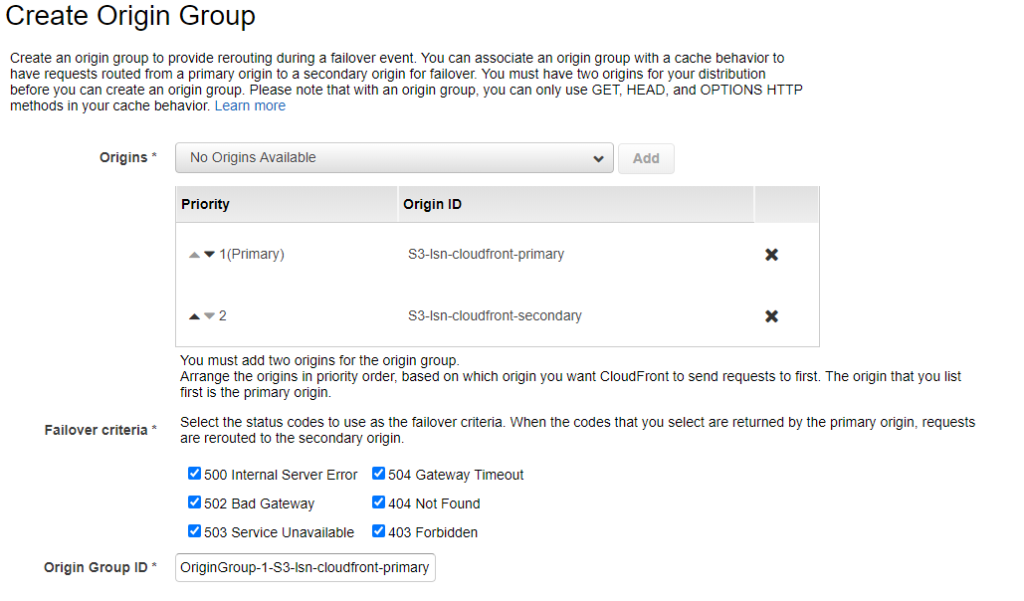
– Active/Passive replica via Origin Group, failover/failback automatically
AWS CloudFront is a content distribution network. It allows for edge location spread around the world to cache content so that the original source only needs to be consulted after a certain amount of time has expired. CloudFront is a global AWS service and has the ability to serve files from an S3 bucket. It also can be configured to have a primary bucket and a backup bucket in case the primary is not available.
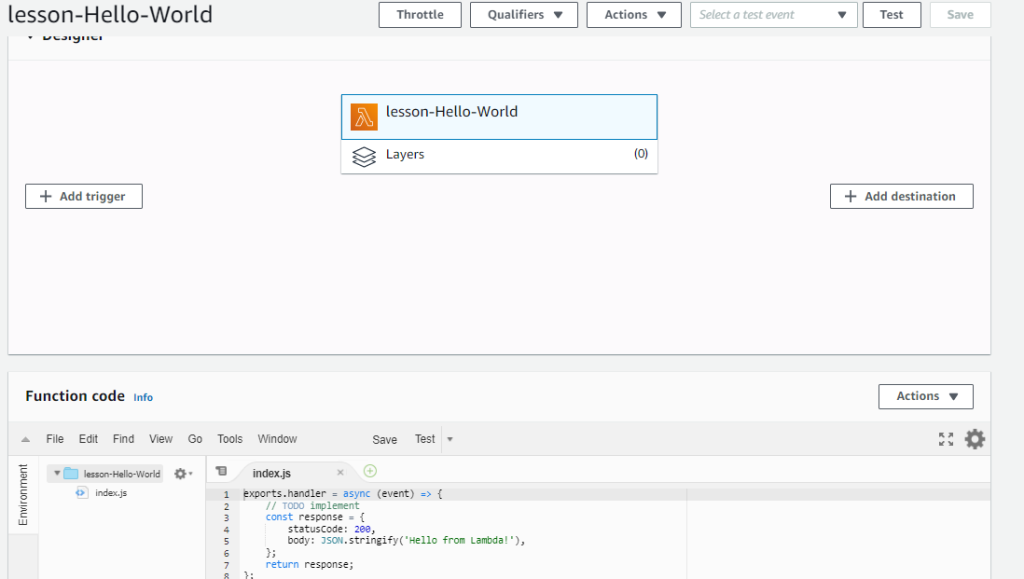
AWS Lambda is one of the Serverless possibilites, We can bring our code and have it run in response to an event.
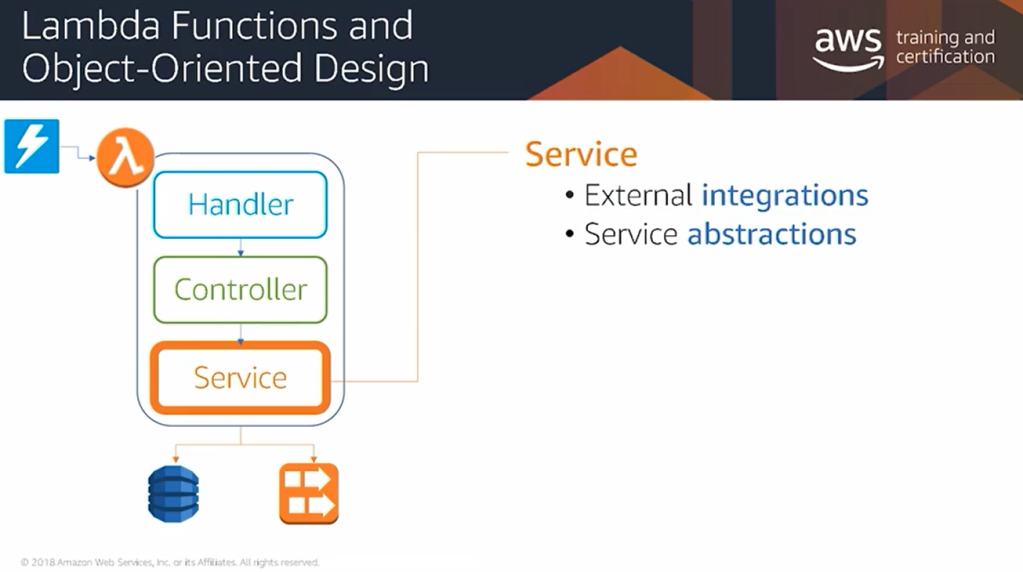
Handler is the primary entry point and the whole code can follow the OOP standards.
Lambda function and object oriented design
This is the usual layer of the lambda function. The business logic must not be developed in handler.
The business logic must be developed in controller class.
Services is for interfaces with external services.
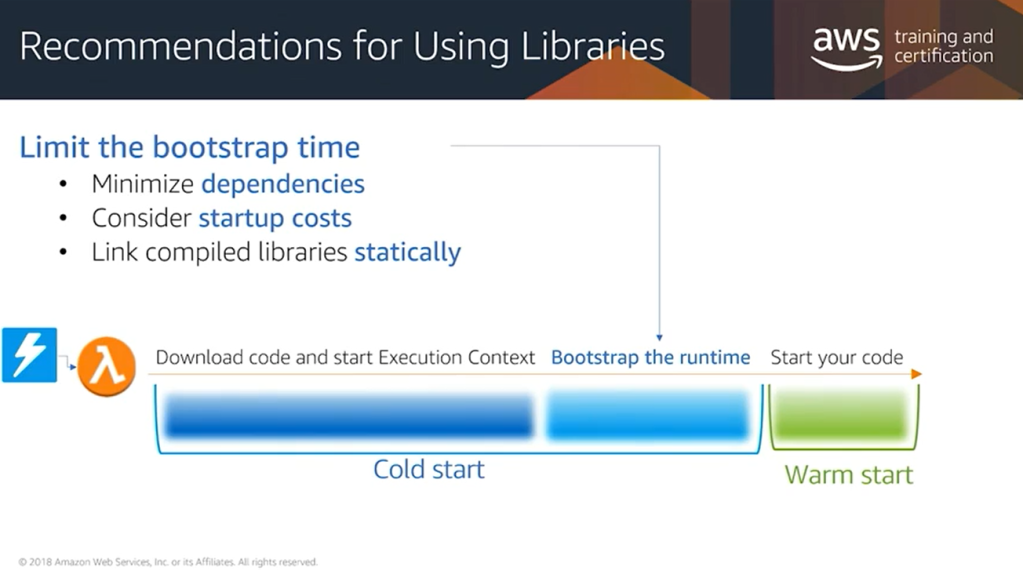
when a Lambda function runs, each time a new execution context is created, there’s a bootstrap component to that start up time for that function where the runtime itself needs to be bootstrapped, and all of the dependencies for that function have to be loaded from S3 and initialized. In order to optimize the cold starts for your function, you should consider reducing the overall size of your libraries.
So that means removing any unnecessary dependencies in your dependency graph, as well as being conscious of the overall start up time for the libraries you’re using. Certain libraries like Spring within the Java context take a long time to initialize, and that time is going to impact the cold start times for your function. Also, if you’re using any compiled libraries within your function, consider statically linking them instead of using dynamic link libraries.
Amazon DynamoDB is a fast NoSQL database service for all applications that need consistent, single-millisecond latency at any scale. It is a fully managed database and supports both document and key-value data models. Its flexible data model and reliable performance make it a great fit for mobile, web, gaming, ad-tech, IoT, and many other applications. [Source]
Create DynamoDB
Create Global table
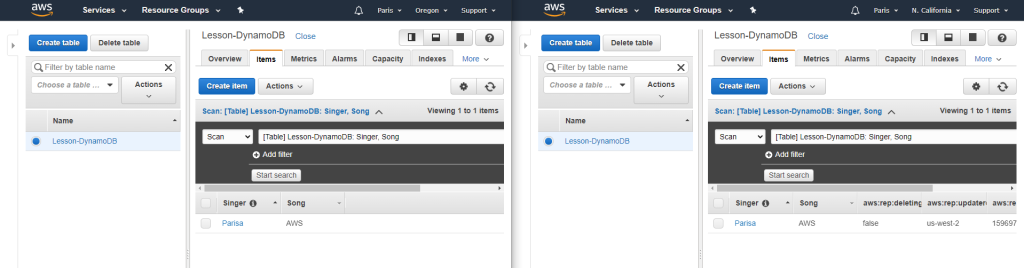
For creating Global table, the DynamoDb Stream must be enabled. The following figure demonstrates how to enable it.
Then we use the Global Tables tab and Add region.
After I added a new item to “Oregon” table, the values would be added to the “California” as well.
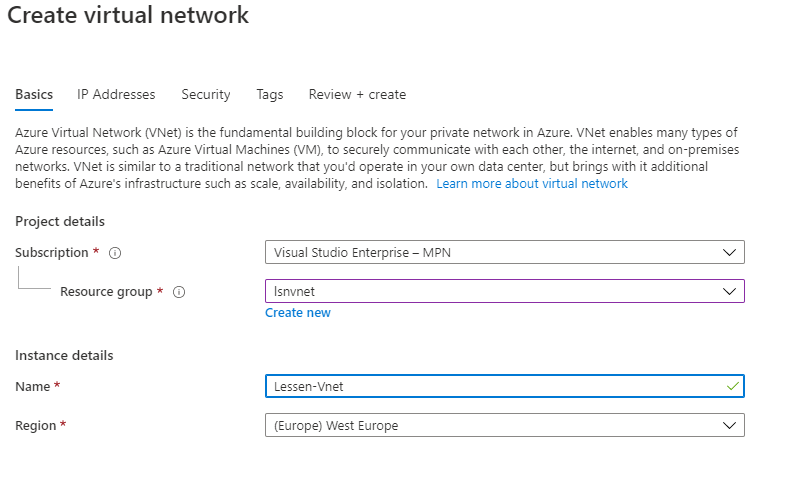
Select region for vnet and regions are region/zone because we have for example East US & East US 2
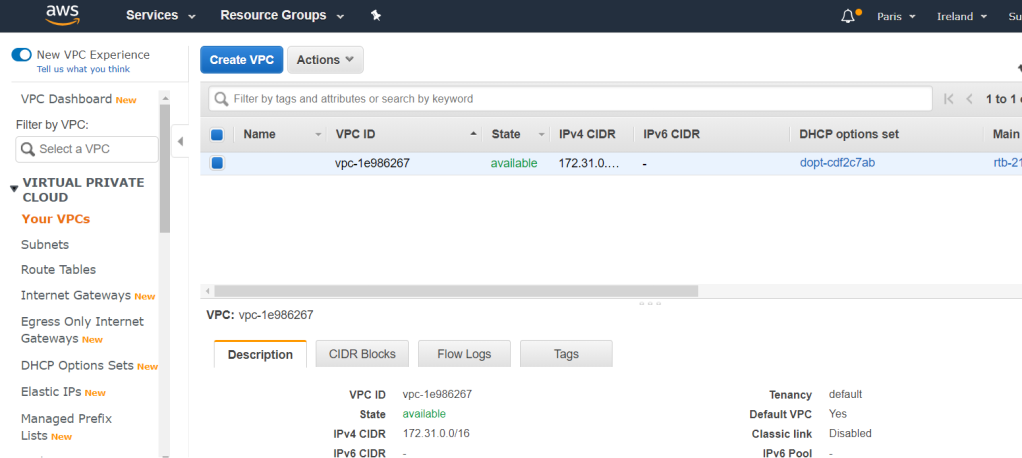
Select region for VPC
Subnet is created in vnet’s region.
Subnet is created in different zones of the region
GCP
coming soon..
Multi-cloud : Public IP
Azure
AWS
GCP
Static IP
Elastic IP
Dynamic IP
Multi-cloud
You can configure VPN between cloud providers (it’s straight forward) and it’s the same as VPN between on-prem and cloud with setting up the Gateway and then we have an encrypted tunnel for the traffic between cloud providers.
Azure, GCP, and AWS support IKEv2 in virtual private network
Regions and Availability Zones allow anyone to create worldwide infrastructure with ease. They also allow for many options for creating redundancy within your platform. By properly using these components, you can create world-class level systems in terms of both scale and reach.
A Virtual Private Cloud (VPC) is a isolated private network that you control within the larger AWS network. These private networks allow you to configure your network architecture the way you desire. A VPC is region specific. You decide if your VPCs connect to each other or if you keep them independent. If you connect your VPCs, it’s up to you to configure them according to regular networking guidelines.
VPC aspects
Security groups are the same as firewall but not exactly
Two VPCs can have peering, even if they are in different regions
One VPC per region has automatically multi-AZ
AWS create a default VPC in every region but can be deleted
Services in VPC
The instance oriented fetures
Amazon RDS
Elastic cache
Document DB
Elastic search
EC2
Load balancer
Net Tune
Services not in VPC
Service oriented features and global services that have access to internet
SQS
S3
DymoDb
SNS
Cloud front
SCS
API gateway
Network Ranges
A network range is a consecutive set of IP addresses.
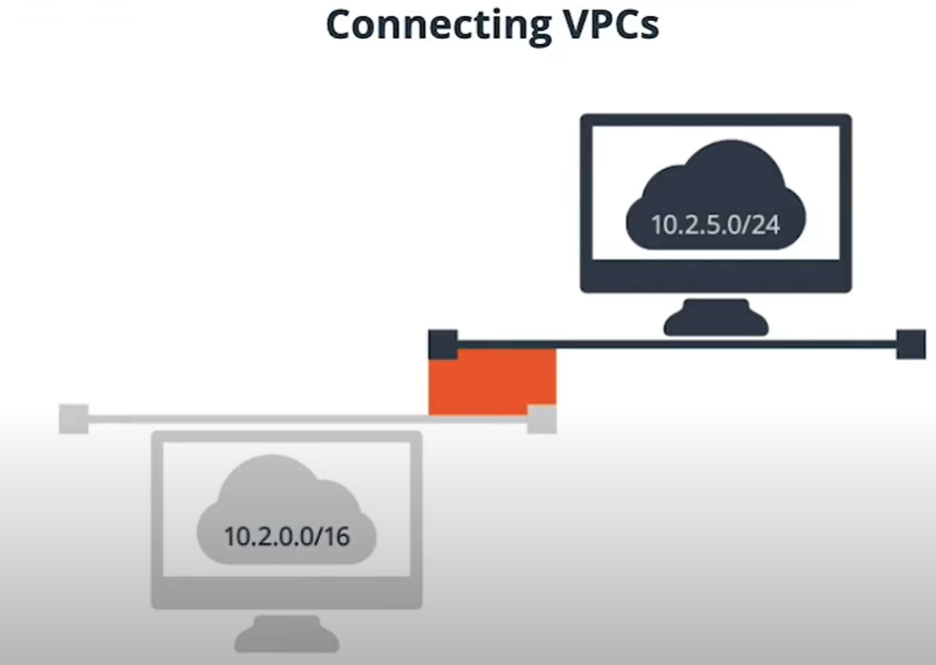
Network ranges are described using “CIDR” notation. CIDR notation consists of the first IP address of the network range, followed by a “slash”, followed by a number. That number describes how many consecutive address are in the range. A “/24” address has 255 addresses, while a “/16” has 65,536 addresses.
We cannot connect two VPCs with overlapping IP address ranges
Create VPCs
There are two ways in the AWS management console to create a new VPC.
You can create a very basic VPC by creating a new VPC from within the “Your VPCs” section of the VPC service. This option is best if you are an advanced VPC user and want to customize your VPC completely.
the second way is by using the VPC launch wizard.
Using the “Launch VPC Wizard,” create a new VPC. Select the “VPC with a Single Public Subnet” option. Name the VPC “Lesson-VPC” and keep the default options and create the VPC.
Review the new VPC, the routing tables that were created with it as well as the subnet and Internet Gateway.
Step1: create VPC
Step2: VPC created
VPCs List The ‘Lesson-VPC’ is my new VPC
Step3: Create subnet
The subnets can be created in any availability zones of the VPC’s region.
Network components
Component
Description
Subnets
is tied to Availability Zone (AZ) and all resources created in this subnet are located in this availability zone
Route tables
is attached to one or more subnets and can be shared between subnets in different AZ.
DNS
DHCP
IPv4/6
Internet Gateway (Network routing)
is represented in Route Table of the subnet and the services created in the subnet can send traffic to internet with public IP. Internet can send traffic to instances as well.
NAT Gateways (Network routing)
Services can send traffic out to internet but cannot receive from internet.
Security Group
is a statefull firewall, can attach to EC2, RDS database
Network ACLs
Network Address Control List, is a kind of stateless firewall and is applied to subnet.
Network routing
Options
Description
Internet Gateways
NAT Gateways
No internet connections
is for connecting two subnets in a VPC with each other
VPN connections
encrypted connection to connect to on-prem
DirectConnection
datacenter to AWS
Debugging VPC Network
VPC Flow Logs
Flow logs allow you to see higher level network debugging information like the source port and source IP, and destination port and destination IP of traffic flowing within your VPC.
Traffic Mirroring
Traffic mirroring is like traditional “packet sniffing” on specific ports.
Edge cases
Multicast networking : is not supported in AWS
Penetration testing
Running email server
AWS networking does have some limitations that your own data center network would not.
You cannot use multicast in a VPC
You cannot put network cards into “promiscuous” mode to sniff ethernet packets.
There are some restrictions on opening up ports for SMTP
You cannot have network scans run against your account without discussing with AWS




































 Multi Cloud Solutions